
iPhone Storage Cleaner: See What Fills Your iPhone and Clear It
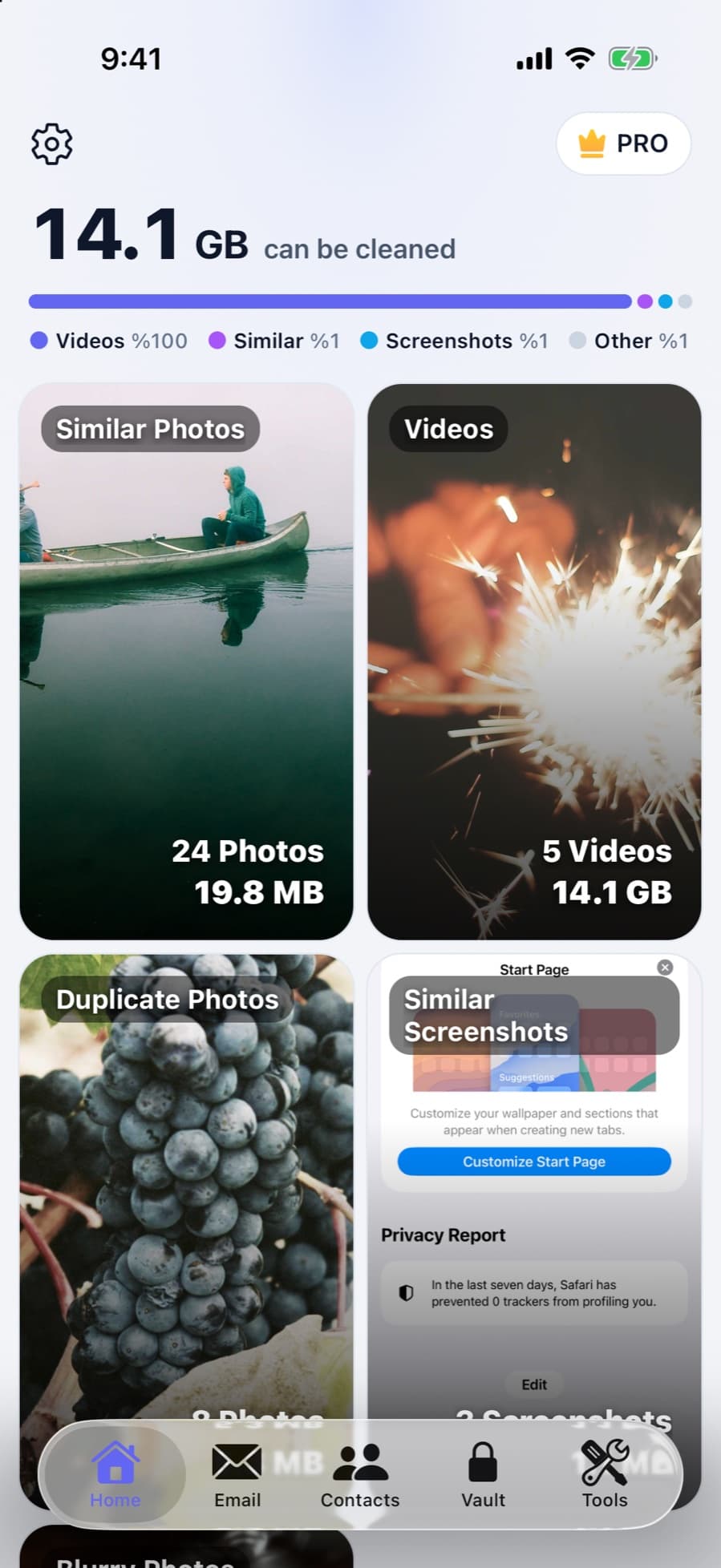
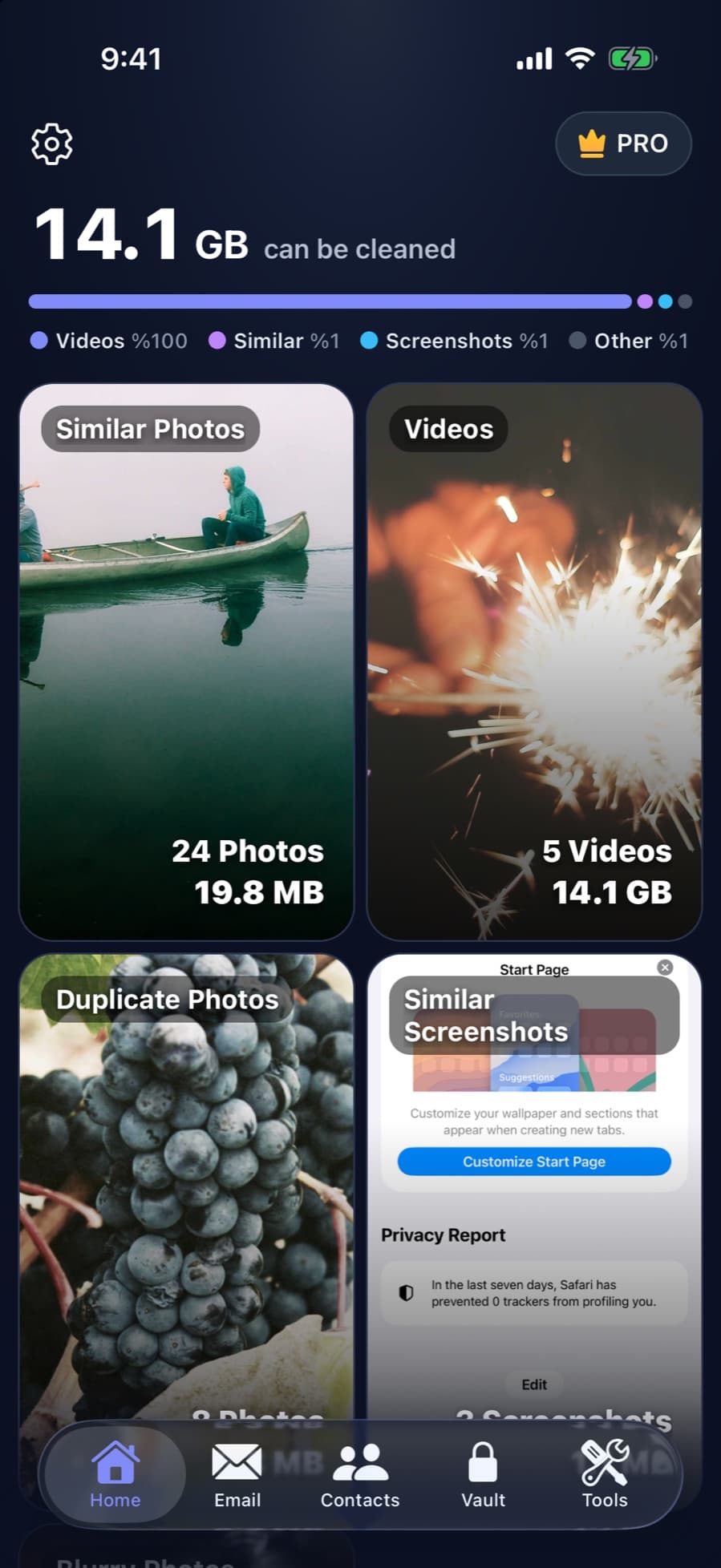
CleanX scans the photos, videos and contacts on your iPhone and shows what takes space, grouped and sized: similar shots, duplicates, screenshots, blurry photos, large videos. Nothing is deleted until you review it and confirm.
What CleanX cleans on your iPhone
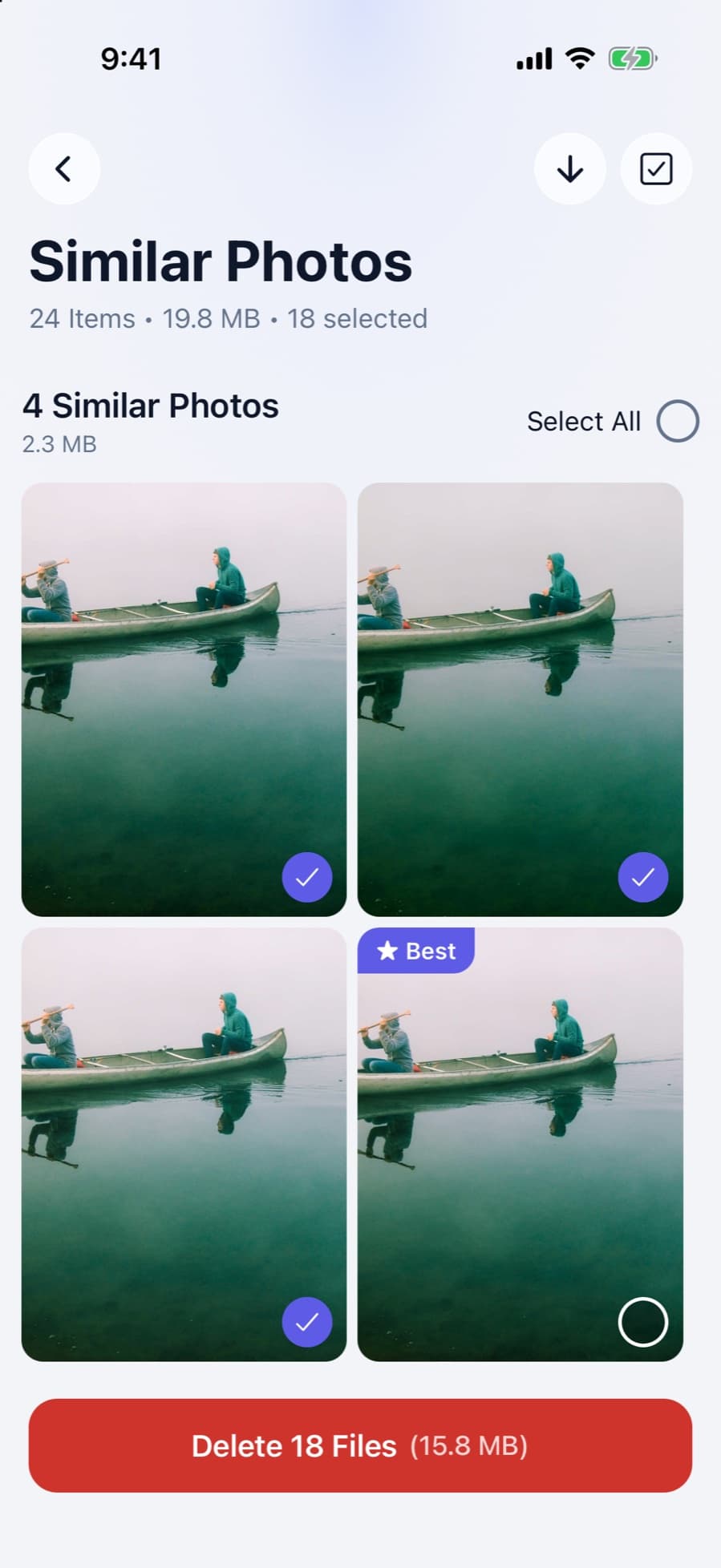
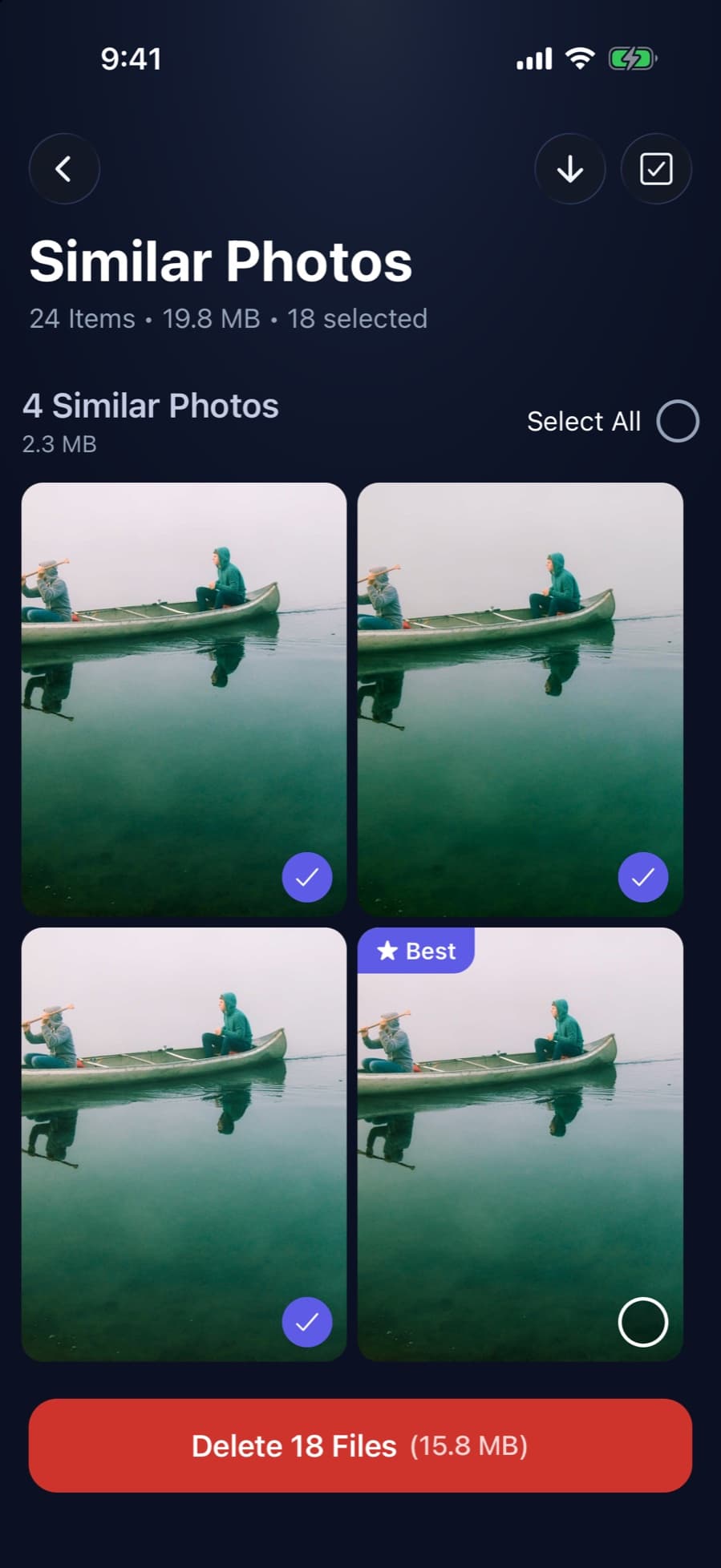
- Similar and duplicate photos: grouped together, with one photo per group left unselected (marked Best in similar groups).
- Screenshots and blurry photos: similar screenshots are grouped; blurry shots are listed with the space they take.
- Large videos: listed largest first. Compress one to High (1080p), Medium (720p) or Low, and see the estimated new size before you start.
- Live Photos: convert them to still photos and drop the short video inside each one.
- Swipe review: go through photos one at a time instead of picking from a grid. See swipe photo cleaner.
- Contacts: find duplicates and contacts with missing info, then merge or delete them.
- Gmail: see which senders and categories fill your inbox and move their emails to Gmail’s trash in bulk.
- Private vault: move private photos, videos, files and notes into an encrypted vault with its own passcode. See photo vault apps.
How it works
Step 1: Allow access to your photos
iOS asks you to allow access. CleanX reads your library through iOS; photos, videos and contacts are scanned on your iPhone.
Step 2: See what takes space
The home screen shows each group with its size: similar photos, videos, duplicates, screenshots, blurry shots.
Step 3: Review before anything goes
Open a group and choose what to delete, or swipe through photos: left sends a photo to CleanX’s trash, right keeps it. Then delete the trash with one confirmation.
Step 4: Confirm
iOS asks you to confirm when you delete photos or videos, and they go to Recently Deleted for 30 days, like any deletion in Photos. The space comes back when Recently Deleted is emptied.
What CleanX doesn’t do
- It can’t clear other apps’ caches or System Data. Apple sandboxes every App Store app, so no cleaner app can reach another app’s data. See what System Data is.
- It doesn’t delete on its own. Every deletion waits for your confirmation; photo and video deletions also need the iOS confirmation.
- It doesn’t empty Recently Deleted for you. Do that in Photos when you’re sure. See Recently Deleted on iPhone.
Privacy and compatibility
- On your iPhone: photos, videos and contacts are scanned on the device; CleanX doesn’t upload them.
- Gmail: after you sign in with Google, your Gmail data is fetched from your phone straight from Google’s Gmail service; there’s no CleanX server in between.
- Devices: iPhone and iPad with iOS 15.6 or later, and Android 7.0 or later.
CleanX vs. what iOS does for free
iOS has free tools for part of this job, and they’re worth using first: see free iPhone cleaner options. CleanX adds what iOS doesn’t do.
| iOS (free) | CleanX | |
|---|---|---|
| Duplicate photos | Duplicates album: copies that look the same | Duplicates and similar shots, grouped with one photo kept |
| Screenshots and blurry shots | Screenshots album; blurry by hand | Similar screenshots grouped; blurry shots listed |
| Large videos | iMovie export, one at a time | Listed largest first, compressed in the app |
| Contacts | View Duplicates (same first and last name) | Duplicates plus contacts with missing info |
| Gmail app, up to 50 at a time | Gmail by sender or category, in bulk |
What’s free and what needs CleanX Pro
Scanning and browsing are free. Deleting, merging, compressing, converting Live Photos, backing up contacts and adding to the vault need CleanX Pro, available as a weekly plan with a 7-day free trial for new subscribers, or as a one-time Lifetime purchase with no subscription. To avoid renewal, cancel a trial at least 24 hours before it ends in Settings › [your name] › Subscriptions.
Frequently asked questions
Does CleanX delete anything without asking?
No. You choose what to delete and confirm it; for photos and videos, iOS asks too. Deleted photos stay in Recently Deleted for 30 days.
Can CleanX clear System Data or app caches on iPhone?
No. Apple sandboxes App Store apps, so no cleaner app can clear another app’s data or System Data. CleanX cleans photos, videos, contacts and Gmail.
Is CleanX free?
Scanning and browsing are free. Deleting, merging, compressing, converting Live Photos, backing up contacts and adding to the vault need CleanX Pro: a weekly plan with a 7-day free trial, or a one-time Lifetime purchase.
Does CleanX upload my photos?
No. Photos, videos and contacts are scanned on your iPhone. For Gmail, your data is fetched from your phone straight from Google after you sign in; there’s no CleanX server in between.
Does CleanX work on Android and iPad?
Yes: iPhone and iPad with iOS 15.6 or later, and Android 7.0 or later. Live Photo conversion is iPhone and iPad only.
Guides on this topic
- How to Free Up Space on iPhoneSee what fills your iPhone and clear it with the settings Apple already gives you.
- Free iPhone Cleaner: What iOS Does for Free and What Apps Charge ForiOS covers the basic cleaner-app jobs for free. Most cleaner apps we checked are free to download but charge for full use.
- Best iPhone Cleaner App? Seven Apps Compared on Features, Price and PrivacySeven cleaner apps and CleanX compared on features, trials, prices and privacy labels.
- Are iPhone Cleaner Apps Safe?What cleaner apps can access, where people actually get burned, and what to check first.
Other features
- Email Cleaner for Gmail: Clear Your Inbox by Sender and CategoryGmail cleanup from your phone: senders by size, whole categories with filters, and unsubscribing from the app.
- Duplicate Photo Remover for iPhone and Android: Find Copies and LookalikesDuplicates and similar shots on your phone, grouped with their size, with one photo per group kept.
- Video Compressor App for iPhone and Android: Shrink Videos on Your PhoneFind your largest videos, see the estimated new size, and replace each one with a smaller copy, on your phone.
- Duplicate Contacts Remover: Merge Duplicates and Fix Incomplete ContactsFind contacts saved twice by name or number, choose what the merged card keeps, and fix contacts with missing info.
- Swipe Photo Cleaner: Swipe Left to Trash, Right to KeepGo through photos one at a time with a swipe, then delete the trash at once instead of photo by photo.
How we checked this page
Features, platforms, the Pro gate and network use checked against the CleanX iOS and Android app code on October 28, 2026. iOS comparison checked against Apple’s iPhone User Guide, Apple Platform Security (app sandbox) and Apple Support article 118428; the Gmail limit against Gmail Help. Written with AI assistance and reviewed by the CleanX team.
