
Email Cleaner for Gmail: Clear Your Inbox by Sender and Category
CleanX works with Gmail, and only Gmail. It shows what fills your inbox: who sends the most email, how much space each sender takes, and how many emails sit in Promotions, Social and the other categories. You choose what goes; it moves to Gmail’s Trash, where you can restore it for 30 days.
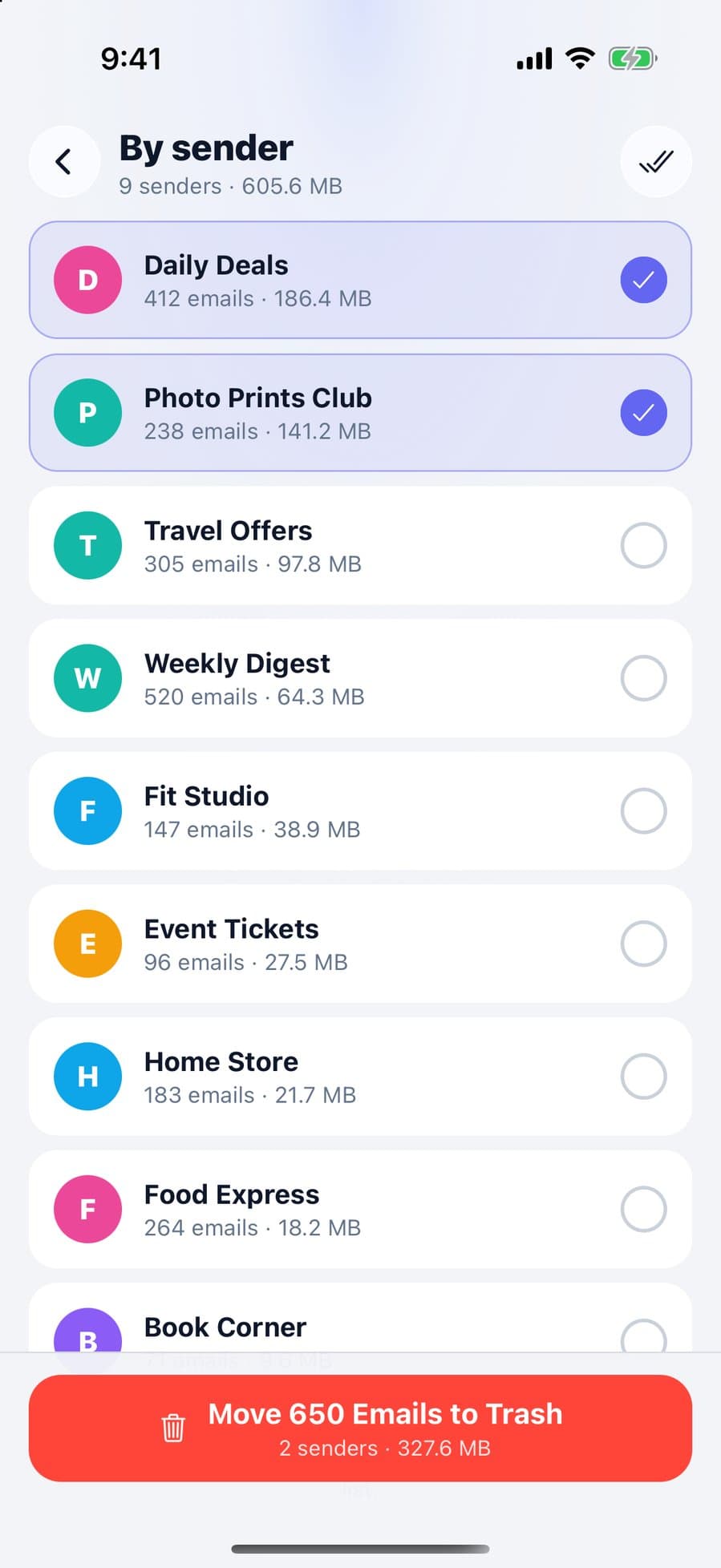
What the email cleaner does
- Overview: as soon as you sign in, the total emails in your account, unread emails, and how many are in each Gmail category.
- Clear whole categories: tick Social, Promotions, Updates, Forums or Spam on the overview and move everything that matches your filters to Trash, up to 20,000 emails per category at a time.
- Browse a category: open one, read the subject lines and pick the emails to move.
- Filters: keep starred emails, limit to read or unread, choose only emails older than a week, a month or a year, and exclude emails that contain a keyword.
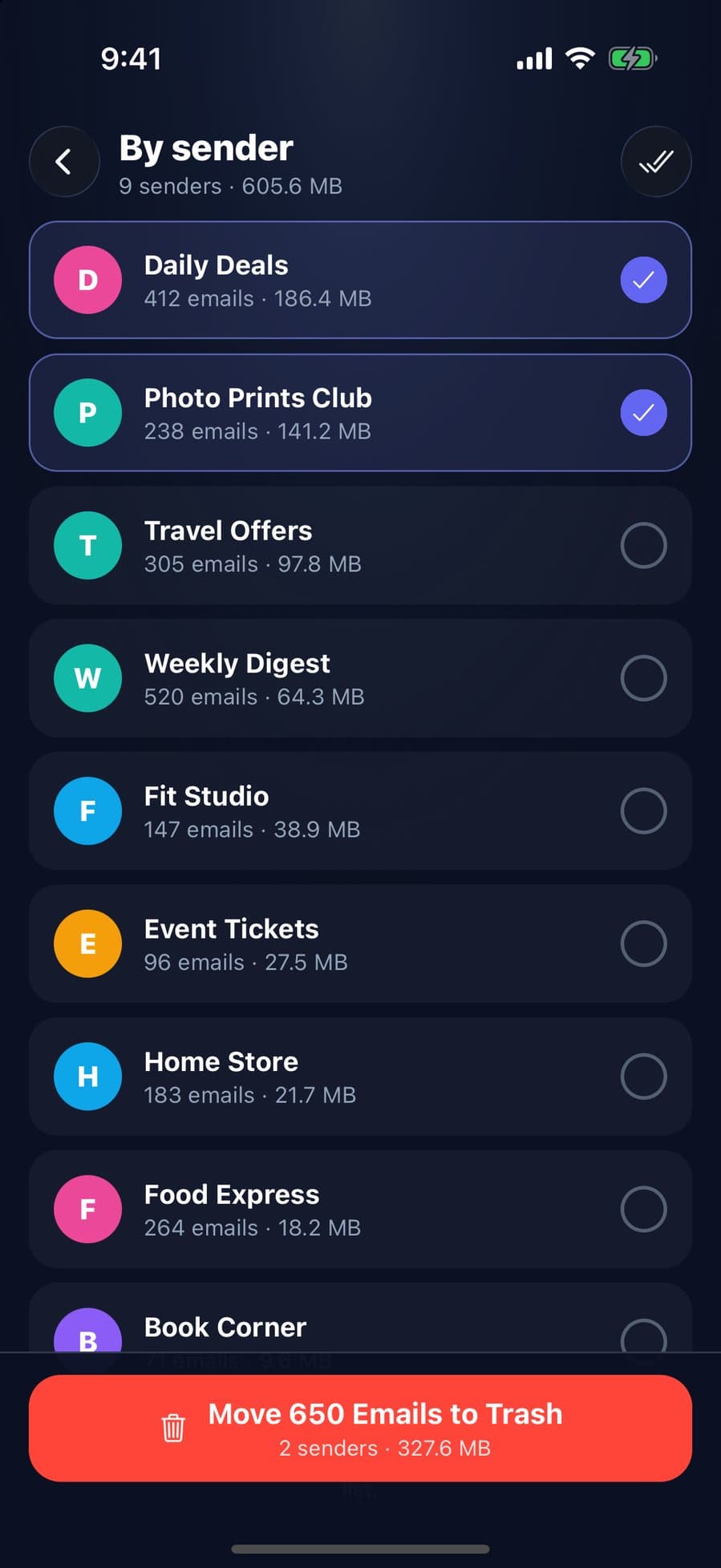
- By sender: scans your newest 2,000 inbox emails and lists senders largest first, with the number of emails and the space they take. Select senders and move their emails to Trash at once.
- Subscriptions: see senders that offer an unsubscribe option, unsubscribe from the app, then clear their old emails.
How it works
Step 1: Sign in with Google
Connect your Gmail account with Google sign-in. Your Gmail data is fetched from your phone straight from Google’s Gmail service; there’s no CleanX server in between.
Step 2: See what fills your inbox
Start from the overview, then open a category, the By sender list or your subscriptions.
Step 3: Choose what goes
Select emails, senders or categories, set your filters, and confirm. CleanX shows how many emails will move before you do.
Step 4: Emails go to Gmail’s Trash
Moved emails stay in Gmail’s Trash for 30 days, so you can restore them. The space comes back when they’re deleted from the Trash.
What it doesn’t do
- Only Gmail. Outlook, Yahoo and other mail services aren’t supported, so if you use them, CleanX isn’t the right tool.
- It doesn’t delete permanently. Emails go to Gmail’s Trash; empty it in Gmail if you need the space right away.
- By sender and Subscriptions cover your newest 2,000 inbox emails. Older emails appear in a later scan, the next time you open CleanX, once newer ones are cleared. Filters don’t apply to By sender or Subscriptions, so starred emails from a sender move too.
- Unsubscribing depends on the sender. CleanX uses the sender’s own unsubscribe option: where the sender supports it, it unsubscribes directly in the app; for some senders it sends a short unsubscribe email from your Gmail, and for others it opens the sender’s page to finish. Emails can take a few days to stop.
CleanX vs. Gmail’s own tools
Gmail can do much of this for free, especially on a computer: see how to delete all emails in Gmail and how to unsubscribe in Gmail. CleanX makes it quicker from your phone.
| Gmail (free) | CleanX | |
|---|---|---|
| Whole category | Select all conversations on a computer; up to 50 at a time in the iPhone app | Up to 20,000 matching emails per category at a time, from your phone |
| Biggest senders | Search by sender, one at a time | Senders listed largest first, cleared together |
| Unsubscribe | Manage subscriptions in Gmail | From the app, then clear the sender’s old emails |
| Keep what matters | Search operators | Filters: starred, read or unread, age, keyword |
What’s free and what needs CleanX Pro
Signing in and browsing your overview, categories, senders and subscriptions are free. Moving emails to Trash and unsubscribing need CleanX Pro, available as a weekly plan with a 7-day free trial for new subscribers, or as a one-time Lifetime purchase with no subscription. CleanX Pro also covers photos, videos and contacts: see iPhone storage cleaner.
Frequently asked questions
Does CleanX work with Outlook or Yahoo?
No, only Gmail.
Does CleanX delete my emails permanently?
No. Emails move to Gmail’s Trash and stay there for 30 days, so you can restore them in Gmail.
Can CleanX read my emails?
Yes, with your permission. To build the lists it reads senders, subjects and sizes, and it loads a full email only when you open it. The data goes from Google straight to your phone; there’s no CleanX server in between.
Is the email cleaner free?
Browsing is free. Moving emails to Trash and unsubscribing need CleanX Pro: a weekly plan with a 7-day free trial, or a one-time Lifetime purchase.
Will clearing emails free up Google storage?
Emails count toward your Google storage until they leave Gmail’s Trash, which happens after 30 days or when you empty it.
Guides on this topic
- How to Delete All Emails in Gmail (Bulk Delete)Select every conversation on a computer, target mail with search, then empty the Trash.
- How to Delete All Promotions Emails in GmailOpen Promotions, select all conversations, delete, then empty Trash. Use category:promotions -is:starred to keep starred emails.
- How to Unsubscribe From Emails in Gmail (Many at Once)Use Manage subscriptions for every list, the Unsubscribe link for one, and know when to block.
- Gmail Storage Full? How to Free Up Google StorageGmail, Drive and Photos share one 15 GB. Empty Trash, delete large emails, then clean up the rest.
Other features
- iPhone Storage Cleaner: See What Fills Your iPhone and Clear ItAll in one app: see what fills your iPhone, grouped and sized, and clear it only after you confirm.
- Duplicate Photo Remover for iPhone and Android: Find Copies and LookalikesDuplicates and similar shots on your phone, grouped with their size, with one photo per group kept.
- Video Compressor App for iPhone and Android: Shrink Videos on Your PhoneFind your largest videos, see the estimated new size, and replace each one with a smaller copy, on your phone.
- Duplicate Contacts Remover: Merge Duplicates and Fix Incomplete ContactsFind contacts saved twice by name or number, choose what the merged card keeps, and fix contacts with missing info.
- Swipe Photo Cleaner: Swipe Left to Trash, Right to KeepGo through photos one at a time with a swipe, then delete the trash at once instead of photo by photo.
How we checked this page
Features, limits, the Pro gate and network use checked against the CleanX iOS and Android app code on October 28, 2026. Gmail comparison checked against Gmail Help articles 7401 and 15621070. Written with AI assistance and reviewed by the CleanX team.
