
Video Compressor App for iPhone and Android: Shrink Videos on Your Phone
CleanX finds the videos that take the most space on your phone and compresses them there, without uploading anything. Pick a quality, see the estimated new size before you start, and the smaller copy replaces the original so the space can come back.
What the video compressor does
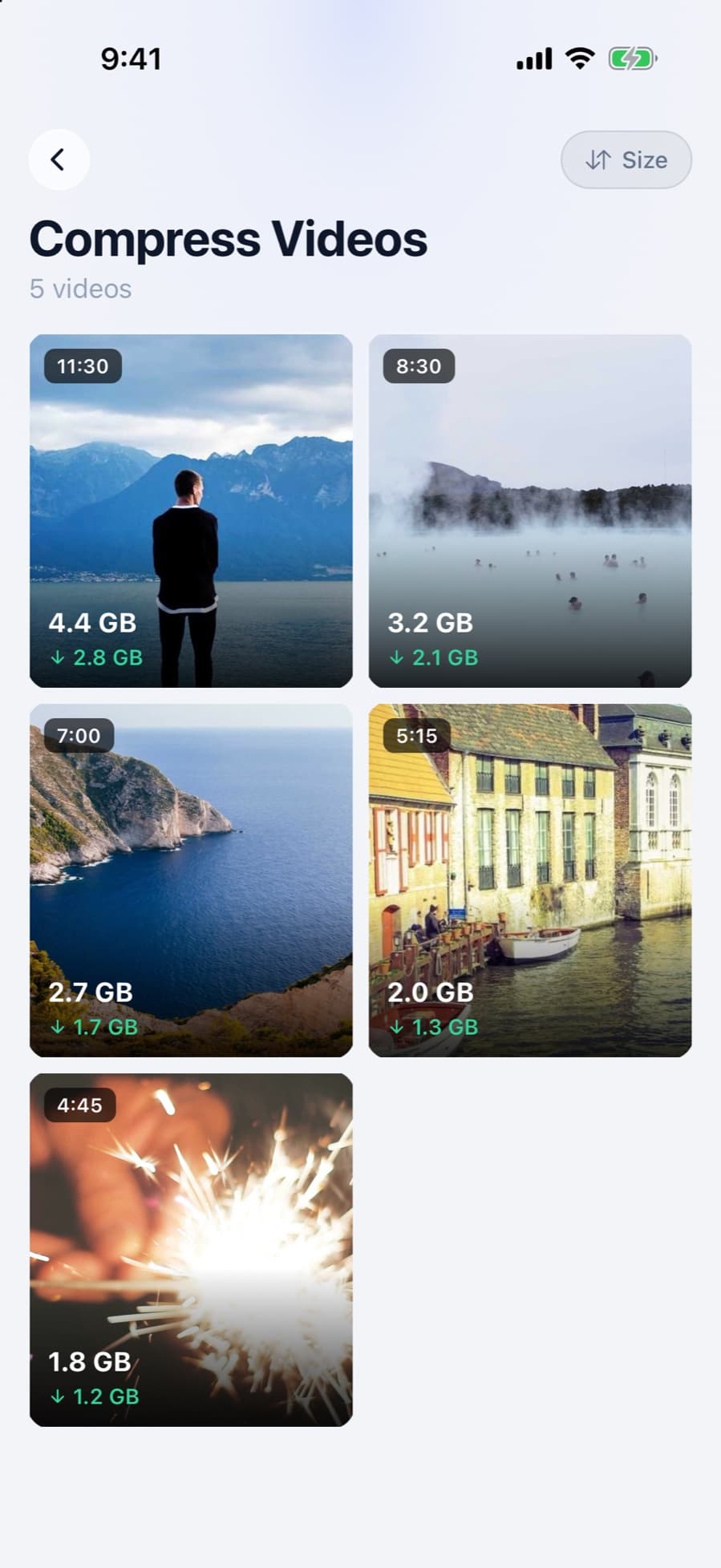
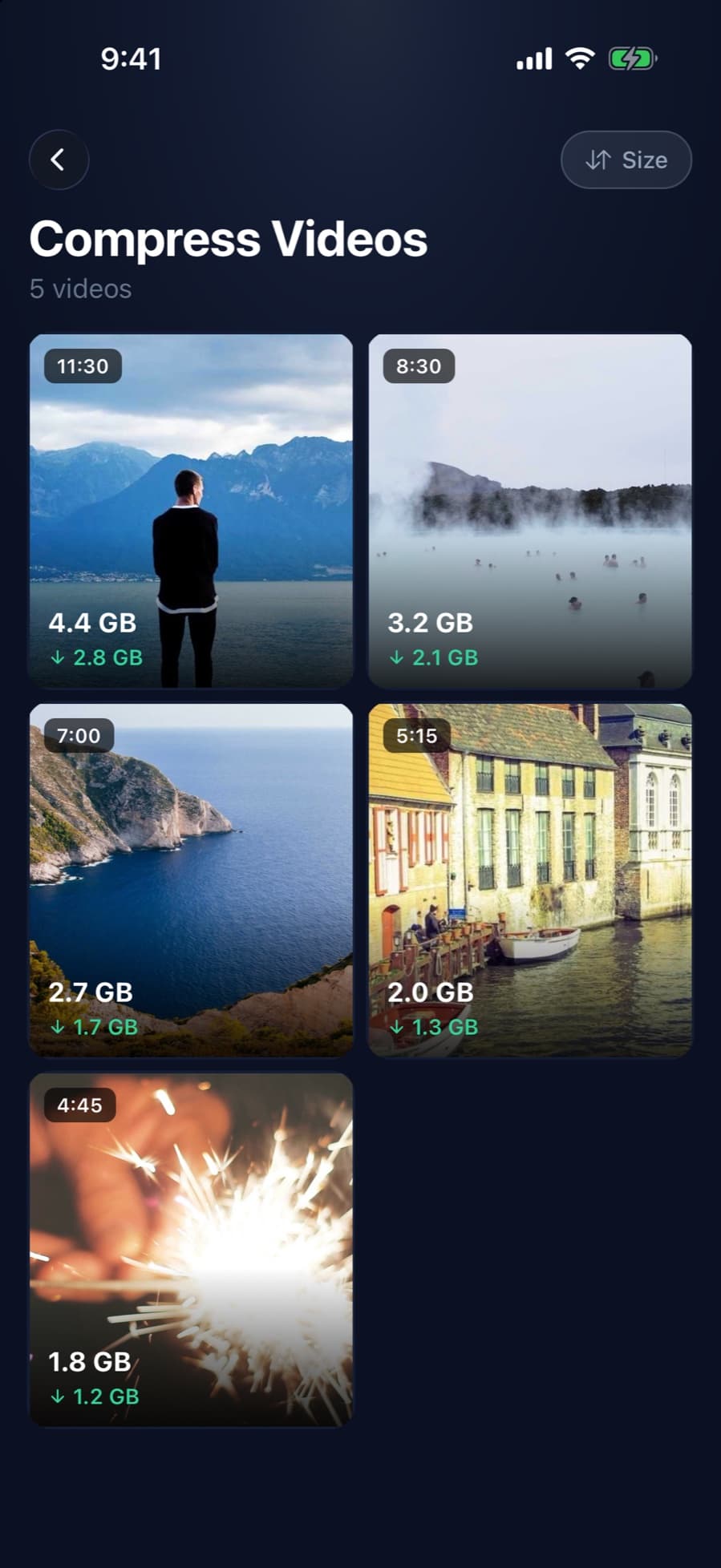
- Largest videos first: your videos are sorted by size, with the space each one could save.
- Three qualities: High (1080p), Medium (720p) or Low. CleanX shows the estimated new size for each before you start.
- Replaces the original: the smaller copy is saved, then the original is deleted after you confirm.
- Skips what won’t shrink: if a video wouldn’t get meaningfully smaller, CleanX leaves it as it is.
- Similar videos (elsewhere in CleanX): lookalike videos are grouped on the home screen, so you can delete the ones you don’t need.
How it works
Step 1: Open your largest videos
CleanX lists the videos on your phone largest first. Compression runs on the device; videos aren’t uploaded.
Step 2: Pick a quality
Tap a video and choose High, Medium or Low. The estimated new size for each is shown before you start.
Step 3: Compress
CleanX compresses one video per run. On iPhone, the smaller copy keeps the original date and location; on Android 10 and later, it’s saved in Movies/CleanX.
Step 4: Confirm the original’s deletion
On iPhone, iOS asks you to confirm and the original goes to Recently Deleted for 30 days. On Android 10 and later, Android asks you to confirm and the original is deleted permanently. If you don’t confirm, both videos stay. On iPhone, the space comes back when Recently Deleted is emptied.
What it doesn’t do
- It isn’t for sending a copy. It replaces the original. To send a smaller copy and keep the original, see how to compress a video for WhatsApp or for Discord.
- One video at a time. There’s no batch compression.
- Smaller means lower quality. Lower resolutions look softer on a big screen; keep originals you may want to edit or watch on a TV.
CleanX vs. other ways to compress
Free options exist: the iMovie app can export a smaller copy, and online compressors work in a browser. See how to compress a video on iPhone and on Android.
| iMovie (iPhone, free) | Online compressor | CleanX | |
|---|---|---|---|
| Where it runs | On the iPhone | Usually uploaded to a website | On the phone |
| Finds large videos | No | No | Yes, largest first |
| Size before you start | Apple’s per-minute estimates | Depends on the site | Estimated new size for each quality |
| Original | Kept; delete it yourself | Kept on the phone | Replaced after you confirm |
| Cost | Free | Varies | Viewing sizes free; compressing needs CleanX Pro |
What’s free and what needs CleanX Pro
Browsing your videos and seeing the estimated sizes are free. Compressing needs CleanX Pro, available as a weekly plan with a 7-day free trial for new subscribers, or as a one-time Lifetime purchase with no subscription. See what else it covers in iPhone storage cleaner.
Frequently asked questions
Does CleanX upload my videos to compress them?
No. Videos are compressed on your phone.
Does the compressed video replace the original?
Yes, after you confirm. On iPhone the original goes to Recently Deleted for 30 days; on Android it’s deleted permanently. If you don’t confirm, both videos stay.
Can I compress several videos at once?
No. You compress one video at a time; the list starts with your largest.
Will the video lose quality?
Some. High is 1080p, Medium 720p, and Low is smaller still. Check the estimated size and keep originals you may want to edit.
Is the video compressor free?
Seeing your videos and their estimated sizes is free. Compressing needs CleanX Pro: a weekly plan with a 7-day free trial, or a one-time Lifetime purchase.
Guides on this topic
- How to Compress a Video on iPhoneExport at a lower resolution in iMovie, trim in Photos, and record smaller videos from now on.
- How to Compress a Video on AndroidTrim in Google Photos, back up in Storage saver and free the device copy, or compress with an app.
- How to Compress a Video for WhatsApp on iPhoneKnow WhatsApp’s 100 MB / 720p default, pick Standard or HD, trim or shrink the video, or send it as a document.
- How to Compress a Video for Discord on iPhoneDiscord checks the original file against 20 MB, so make a smaller copy first: iMovie at 360 or 540, or trim it.
Other features
- iPhone Storage Cleaner: See What Fills Your iPhone and Clear ItAll in one app: see what fills your iPhone, grouped and sized, and clear it only after you confirm.
- Email Cleaner for Gmail: Clear Your Inbox by Sender and CategoryGmail cleanup from your phone: senders by size, whole categories with filters, and unsubscribing from the app.
- Duplicate Photo Remover for iPhone and Android: Find Copies and LookalikesDuplicates and similar shots on your phone, grouped with their size, with one photo per group kept.
- Duplicate Contacts Remover: Merge Duplicates and Fix Incomplete ContactsFind contacts saved twice by name or number, choose what the merged card keeps, and fix contacts with missing info.
- Swipe Photo Cleaner: Swipe Left to Trash, Right to KeepGo through photos one at a time with a swipe, then delete the trash at once instead of photo by photo.
How we checked this page
Qualities, size estimates, deletion behavior, platforms and the Pro gate checked against the CleanX iOS and Android app code on October 28, 2026. iMovie export checked against Apple Support article 127765. Written with AI assistance and reviewed by the CleanX team.
