
How to Compress a Video for WhatsApp on iPhone
By CleanX TeamPublished
Quick answer
- WhatsApp says its default video size limit is 100 MB and 720p on a faster connection, or 64 MB and 480p on a slower one.
- Before you send, tap the quality button and choose Standard quality or HD quality. WhatsApp notes media is usually compressed when shared.
- Too big? Trim it in Photos, export a smaller copy in iMovie, or send it as a Document (up to 2 GB).
WhatsApp compresses most photos and videos you share, so what arrives can look worse than the original. Its help page gives default limits for videos and a much bigger one for documents.
WhatsApp’s video limits
- Faster connection: default video size limit of 100 MB and 720p resolution.
- Slower connection: default limit of 64 MB and 480p.
- Documents: up to 2 GB, picked from iCloud Drive or other sources such as Google or Dropbox.
- Status videos: up to 90 seconds; WhatsApp says HD isn’t available for status updates.
Choose Standard or HD before sending
After you attach a video in a chat, tap the quality button and choose Standard quality or HD quality, then send. WhatsApp lists MOV and MP4 among its supported video formats.
Make the video smaller first
Step 1: Trim it
In Photos, open the video, tap Edit, drag the ends of the frame viewer, then tap Done and Save Video as New Clip.
Step 2: Or export a smaller copy
In the free iMovie app, add the video to a new Movie project, tap Share › Save or Share Video › Options, choose 540 or 360, tap Done, then Save Video. Apple estimates a one-minute video at 360 at about 6–9 MB.
Step 3: Send the copy
Attach the smaller copy in WhatsApp. The original stays in your library.
| iPhone and WhatsApp | CleanX | |
|---|---|---|
| Smaller copy | iMovie export or a trimmed clip; the original stays | Saves a smaller copy, then deletes the original after you confirm |
| Size before you start | Apple’s per-minute estimates; check the copy in Photos | Estimated size for each level |
| Sending | Standard or HD in WhatsApp; Document up to 2 GB | Not covered |
| Cost | Free | Viewing sizes free; compressing needs CleanX Pro |
CleanX
Shrink videos you’re keeping with CleanX
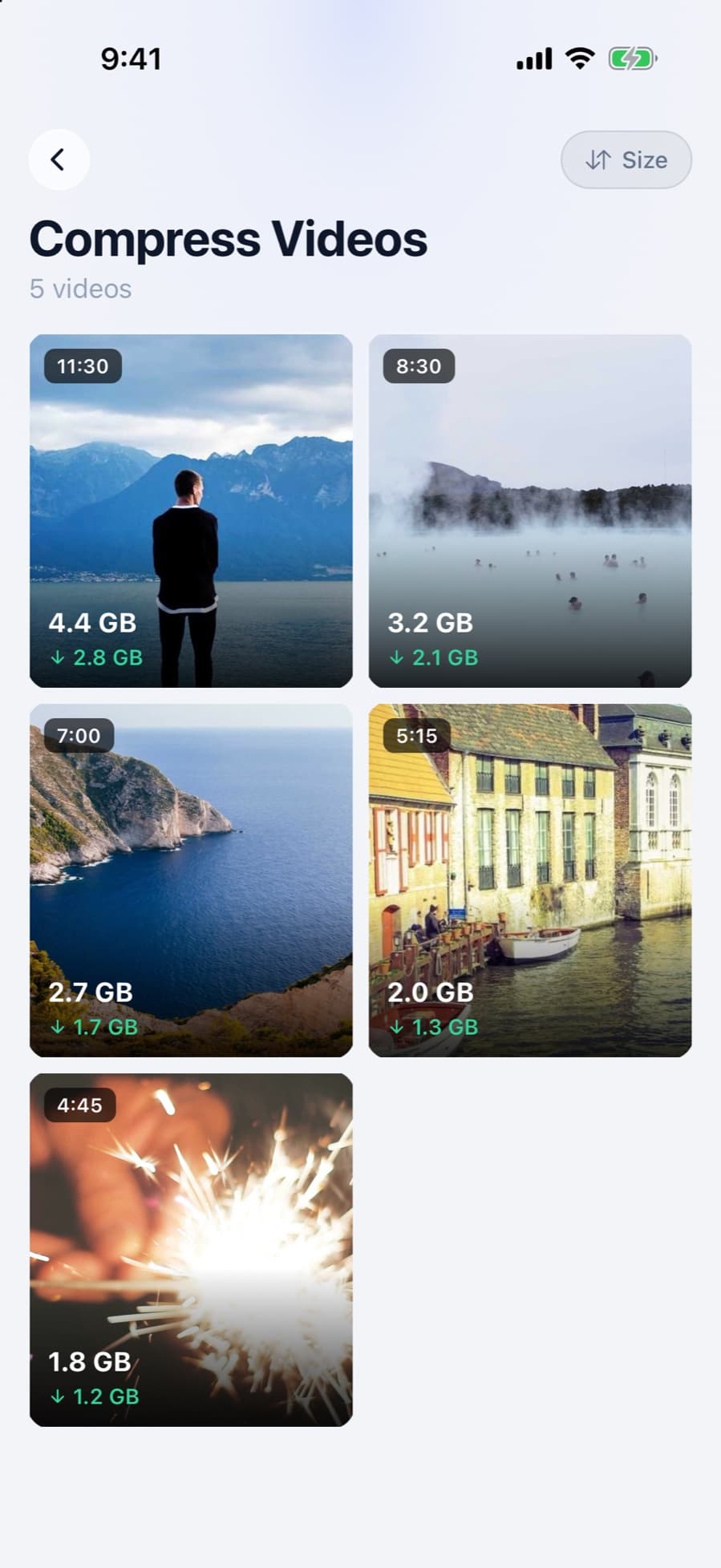
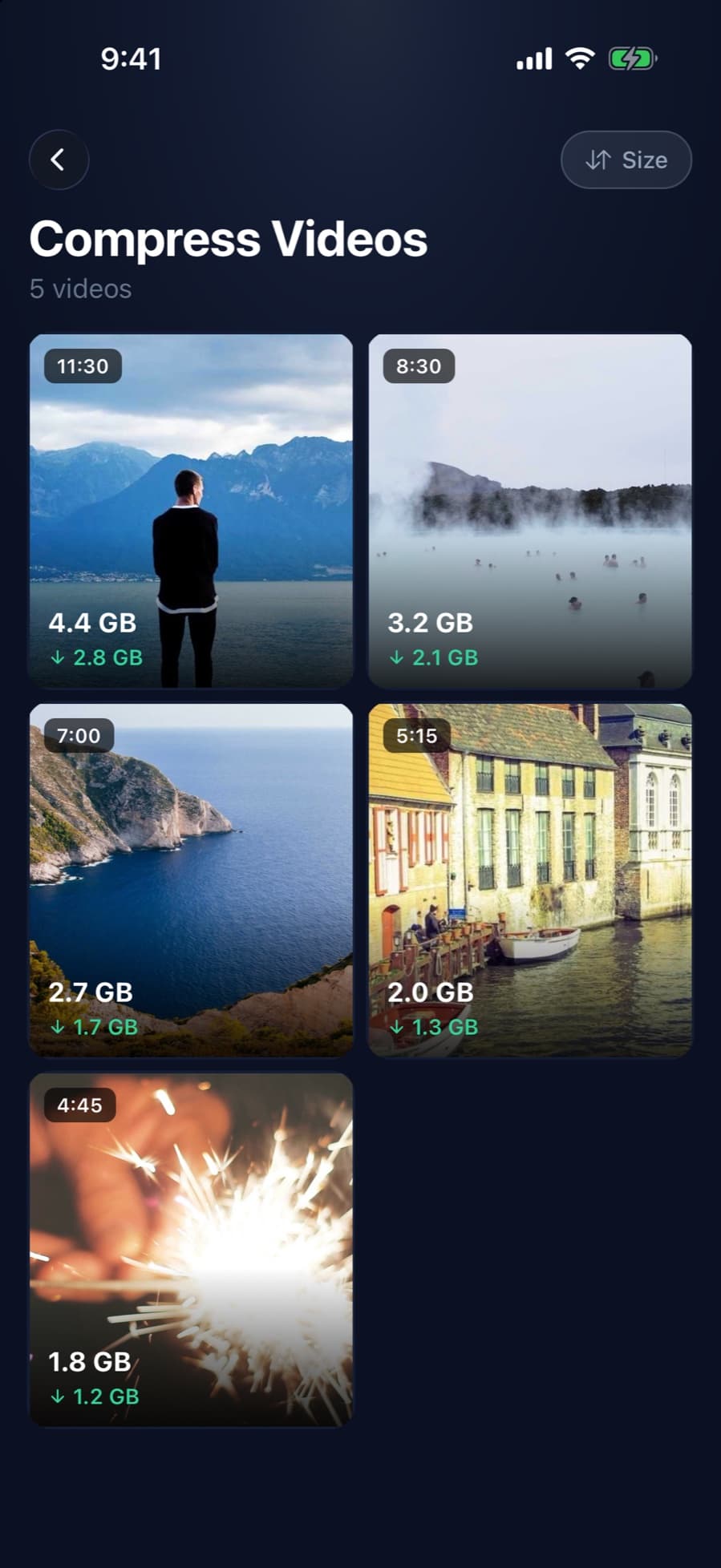
CleanX is for when you want to keep a big video on your iPhone at a smaller size. It shows an estimated new size for High (1080p), Medium (720p) and Low before you start, saves the smaller copy with the original date and location, then deletes the original after iOS asks you to confirm. To send a smaller copy and keep the original, use iMovie instead.
- Estimated size for each level
- One video at a time
- Viewing sizes is free; compressing needs CleanX Pro
More video guides
- Free up WhatsApp storage: WhatsApp storage on iPhone.
- Other ways to send a big video: how to send a large video from iPhone.
Frequently asked questions
What is the video size limit on WhatsApp?
WhatsApp says the default is 100 MB and 720p on a faster connection, or 64 MB and 480p on a slower one. Documents can be up to 2 GB.
Why does WhatsApp lower my video quality?
WhatsApp says media is usually compressed when shared, so it can look lower quality than the original. Choose HD quality before sending for a clearer video.
How do I send a long video on WhatsApp?
Trim it or export a smaller copy in iMovie, or send it as a Document, which can be up to 2 GB.
Can I send HD videos on WhatsApp status?
No. WhatsApp says HD media isn’t currently available for status updates, and status videos can be up to 90 seconds.
Related guides
- How to Compress a Video on iPhoneExport at a lower resolution in iMovie, trim in Photos, and record smaller videos from now on.
- How to Send a Large Video From iPhoneAirDrop it, send it with Mail Drop, share an iCloud Drive link, or make a smaller copy.
- How to Clear WhatsApp Storage on iPhone (and Stop Saving Photos)Turn off Save to Photos, limit auto-download, and clear WhatsApp media and the copies in Photos.
