
How to Export Contacts From iPhone (vCard, CSV or Excel)
By CleanX TeamPublished
Quick answer
- On iPhone: in Contacts, tap the Lists button, touch and hold a list, tap Export, choose the fields and tap Done.
- All contacts at once: on a computer, go to icloud.com/contacts, choose Select All Contacts, then Export vCard.
- Need CSV or Excel? iPhone exports vCard (.vcf) files. On a Mac, drag contacts into Numbers and export; on any computer, import the vCard into Google Contacts and export a CSV.
Exporting gives you a file you can send, open on a computer or import into another app or account. iPhone and iCloud.com export contacts as a vCard (.vcf), the format most phones and email apps can import. Spreadsheet formats take one more step.
Export contacts on iPhone
Step 1: Open your lists
In Contacts, tap the Lists button (or the Show Sidebar button).
Step 2: Pick a list
Touch and hold a list, such as all your contacts, or create a list with Add List for just the ones you want.
Step 3: Export
Tap Export, select the fields you want to include, then tap Done.
Step 4: Send or save the file
Choose a way to send or save the exported contact cards, such as Messages or Mail.
Export all contacts from iCloud.com
If your contacts sync with iCloud, a computer or tablet is the quickest way to get everything in one file. Apple notes Contacts on iCloud.com needs a tablet or computer.
Step 1: Sign in
Go to icloud.com/contacts and sign in with your Apple Account.
Step 2: Select contacts
Select the Actions button at the top of the list, then Select All Contacts. To export only some (computer only), hold Command (Mac) or Control (Windows) and click each one.
Step 3: Export
Select the Share button, then Export vCard. Apple says several contacts are exported as a single vCard.
Export contacts to CSV or Excel
On a Mac, with Numbers
Apple’s Contacts guide for Mac describes this: open Contacts on the Mac (with the same iCloud contacts), select the contacts, open a spreadsheet in Numbers and drag the contacts into it. Then choose File › Export To and pick Excel, CSV, TSV or Numbers ’09. Apple warns that if your own card has notes or photos or is set to private, fields you chose not to share are included when you export it this way.
On Windows or any computer, with Google Contacts
Step 1: Import the vCard
In Google Contacts on a computer, click Import › Select file, choose the .vcf file from iCloud.com and click Import.
Step 2: Select the contacts
Check the box next to a contact, then click Selection Actions › All at the top left.
Step 3: Export a CSV
Click More actions › Export, select Google CSV and click Export.
| iPhone Contacts | iCloud.com | Mac + Numbers | CleanX | |
|---|---|---|---|---|
| File type | vCard | vCard | Excel, CSV, TSV or Numbers | No file export; a backup inside the app |
| All contacts at once | Yes, by exporting a list | Yes, Select All Contacts | Yes, select all and drag | Backs up all contacts (CleanX Pro) |
| Needs a computer | No | Yes, or a tablet | Yes, a Mac | No |
| Cleans up first | No | No | No | Finds duplicates and contacts with missing info |
CleanX
Clean up your contacts before you export them with CleanX
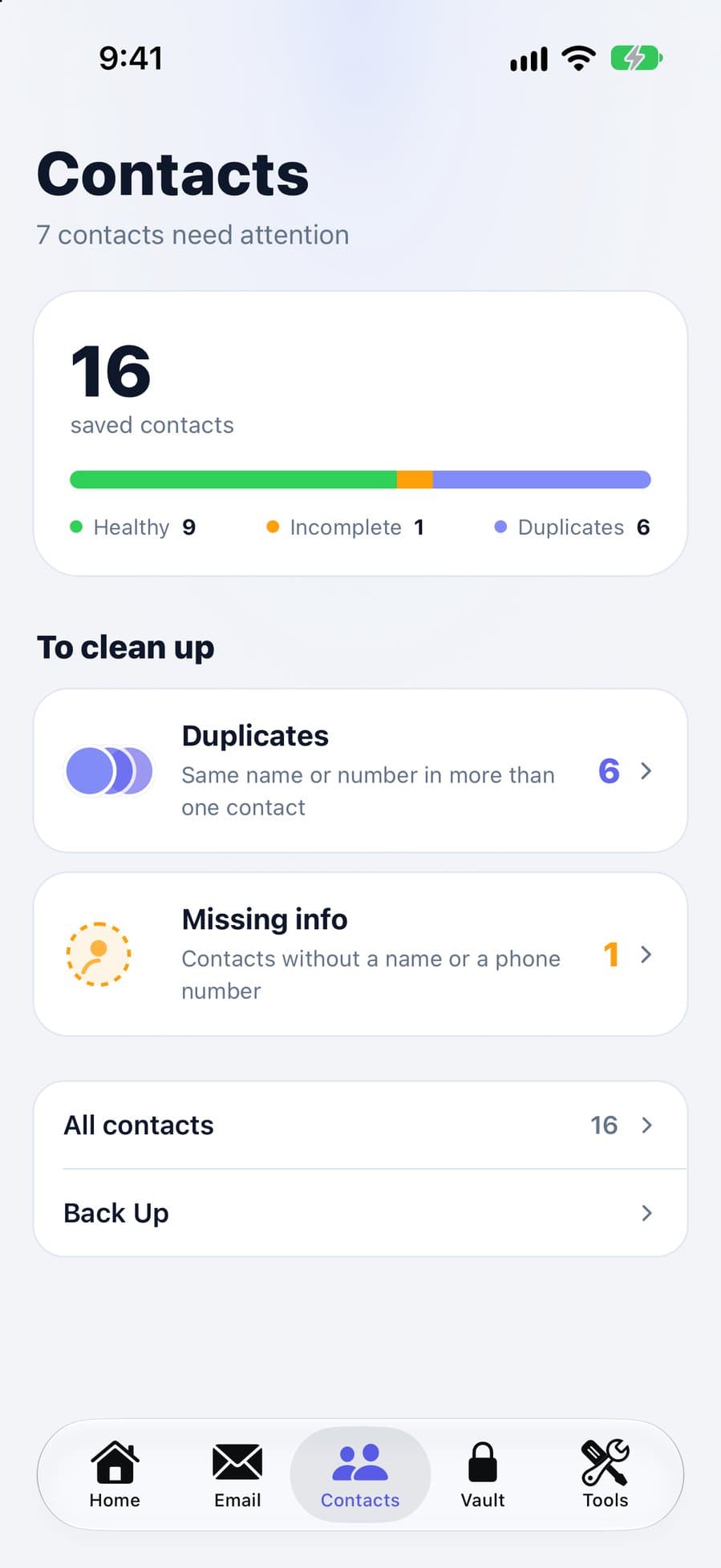
An export copies every duplicate and half-empty card too. CleanX finds contacts saved more than once, by the same name or the same phone number, and contacts with no name or no phone number, so you can merge or delete them before you export. CleanX doesn’t create vCard or CSV files itself; its backup stays inside the app.
- Duplicate contacts and contacts with missing info
- Merge or delete before the export
- Scanning is free; merging, deleting and backing up need CleanX Pro
Before you export
- A vCard holds personal data. Store and send it the way you would any private file.
- Moving to Android? See how to transfer contacts from iPhone to Android.
- Want a backup rather than a file? See how to back up contacts on iPhone.
Frequently asked questions
How do I export all my contacts from iPhone?
In Contacts, touch and hold the list with all your contacts and tap Export. On a computer, go to icloud.com/contacts, choose Select All Contacts, then Export vCard.
Can I export iPhone contacts to CSV or Excel?
Not directly; iPhone exports vCard files. On a Mac, drag the contacts into Numbers and choose File › Export To. Or import the vCard into Google Contacts and export a CSV.
Can I export contacts from iPhone without a computer?
Yes. Export a list from the Contacts app and send or save the vCard with Messages, Mail or another option.
What is a vCard file?
A .vcf file with the contact information of one or more people. Apple says a vCard with several contacts becomes separate entries when you import it.
Related guides
- How to Merge Duplicate Contacts on iPhoneUse View Duplicates in Contacts, link the rest, and catch same-number duplicates.
- How to Back Up Contacts on iPhoneTurn on iCloud Contacts, export a vCard, and know what iCloud’s archive keeps.
- How to Transfer Contacts From iPhone to AndroidCopy them during Android setup, use Transfer to Android, or export a vCard from iCloud and import it into Google Contacts.
