
Delete Photos From iCloud but Not iPhone (or the Other Way Around)
By CleanX TeamPublished
Quick answer
- With iCloud Photos on, Apple says a photo you delete on one device is deleted on all your other devices signed in with the same Apple Account.
- Keep on iPhone, delete from iCloud: turn off Sync this iPhone in Settings › [your name] › iCloud › Photos and choose Download Photos & Videos, then delete on iCloud.com.
- Keep in iCloud, free iPhone space: leave iCloud Photos on with Optimize iPhone Storage, or turn off sync and choose Remove from iPhone.
iCloud Photos keeps one library in sync across your devices. That’s why you can’t delete a photo in just one place while sync is on: Apple says deleting a photo or video on one device deletes it on every device signed in with the same Apple Account, and deleting it on iCloud.com deletes it from all devices with iCloud Photos on.
Delete photos from iCloud but keep them on iPhone
Step 1: Make room and back up
Apple says to download your original photos and videos first and make sure your iPhone has enough storage for them. Wait until the download finishes and check that the photos open on the iPhone before you delete anything on iCloud.com. Because the iPhone will then hold the only copy, also copy the photos to a computer.
Step 2: Turn off sync on this iPhone
Go to Settings › [your name] › iCloud, tap Photos under Saved to iCloud and turn off Sync this iPhone. Choose Download Photos & Videos to keep a copy on the iPhone.
Step 3: Delete on iCloud.com
Go to icloud.com/photos, select the photos, select the Delete button, then Delete. They move to Recently Deleted on iCloud.com for 30 days, and are also removed from your other devices that still use iCloud Photos.
To remove everything from iCloud instead, Apple’s option is Settings › [your name] › iCloud › Storage › iCloud Photos › Turn Off and Delete Photos. It turns off iCloud Photos for your account, and your photos in iCloud are deleted 30 days later; until then you can choose Undo Delete. Download your originals first.
Free up iPhone space but keep photos in iCloud
- Optimize iPhone Storage: with iCloud Photos on, Apple says full-resolution photos and videos stay in iCloud and space-saving copies are kept on the iPhone when needed. Check it in Settings › [your name] › iCloud › Photos (in iOS 27 or later, under iPhone Storage).
- Remove from iPhone: turn off Sync this iPhone and choose Remove from iPhone. The photos stay in iCloud but are removed from the iPhone, and new photos stop syncing.
- Deleting photos on the iPhone with sync still on isn’t a way to keep them in iCloud: they’re deleted there too.
Before you delete
- Recently Deleted: deleted photos stay there for 30 days, and Apple says items in it don’t count towards your iCloud storage.
- Over your iCloud limit: Apple says your device then removes photos you delete immediately, and they can’t be recovered from Recently Deleted.
- Shared Library: if you own one, Apple says to delete it before turning off iCloud Photos for your account.
| iPhone and iCloud | CleanX | |
|---|---|---|
| Delete in one place only | Turn off Sync this iPhone first | Same rule: CleanX deletes through Photos, so with sync on the delete reaches iCloud too |
| Free iPhone space, keep iCloud | Optimize iPhone Storage | Not covered |
| Find what to delete | Duplicates album; Media Types | Duplicate and similar photos and similar screenshots grouped; blurry shots listed |
| Cost | Free | Scanning free; deleting needs CleanX Pro |
CleanX
Clean up the library itself with CleanX
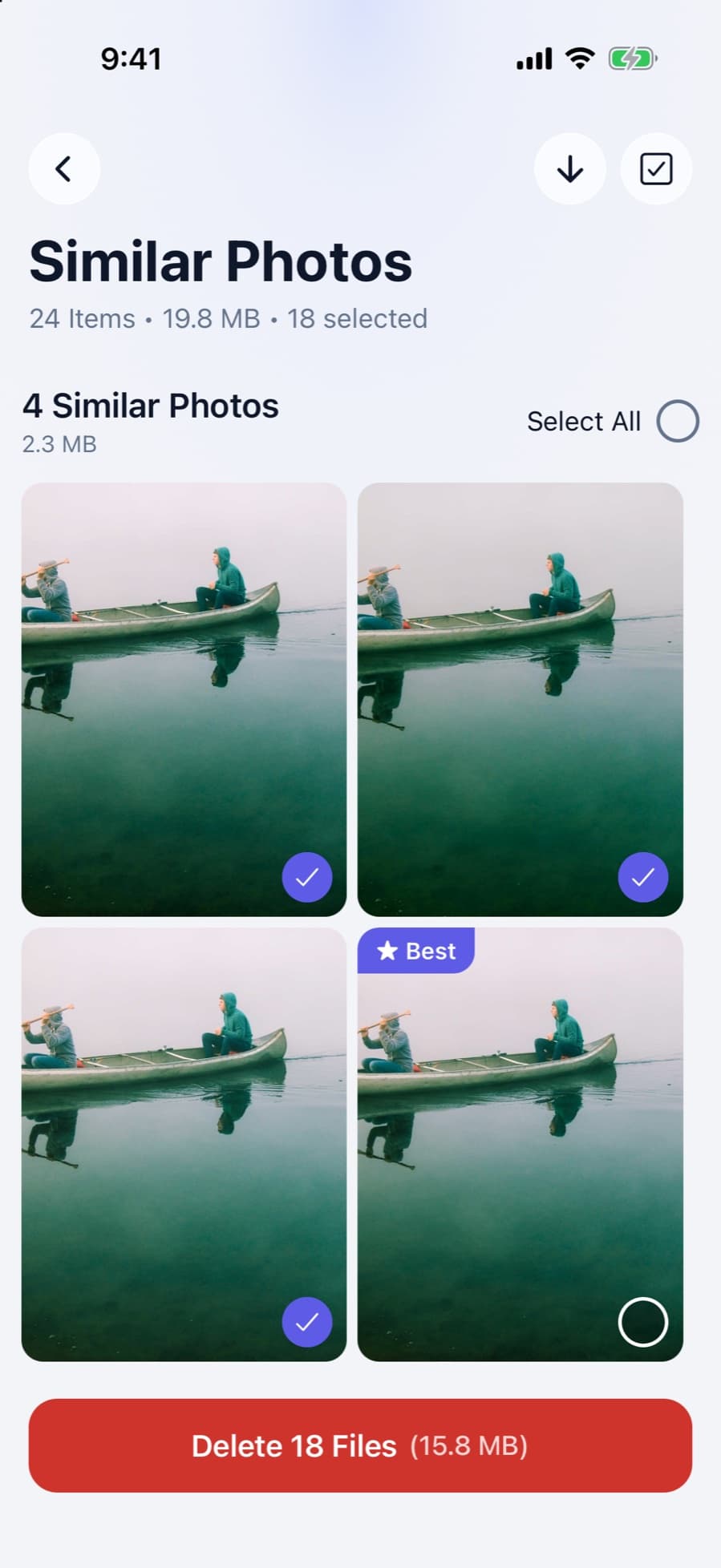
If the goal is a smaller library everywhere, CleanX groups duplicate and similar photos and similar screenshots, lists blurry shots, and shows how much space they take. It deletes from your iPhone’s photo library, so with iCloud Photos on, the photos you delete are removed from iCloud and your other devices too, and wait in Recently Deleted for 30 days unless you’re over your iCloud storage limit.
- Duplicate and similar photos grouped, with the space each takes
- With iCloud Photos on, deletes reach iCloud too
- Scanning is free; deleting needs CleanX Pro

Related: how to clear iCloud storage and Recently Deleted on iPhone.
Frequently asked questions
If I delete photos from my iPhone, are they deleted from iCloud?
Yes, if iCloud Photos is on. Apple says a delete on one device removes the photo from all devices signed in with the same Apple Account.
Can I delete photos from iPhone and keep them on iCloud?
Turn on Optimize iPhone Storage to keep full-resolution copies in iCloud, or turn off Sync this iPhone and choose Remove from iPhone. New photos then stop syncing.
How do I delete photos from iCloud but not my iPhone?
Turn off Sync this iPhone and choose Download Photos & Videos, then delete the photos on iCloud.com. They’re also removed from your other devices that still use iCloud Photos.
Does turning off iCloud Photos delete my photos?
Turning it off on one iPhone doesn’t delete anything from iCloud; you choose whether that iPhone keeps a copy or removes its photos. Turn Off and Delete Photos removes them from iCloud after 30 days.
Do photos in Recently Deleted use iCloud storage?
No. Apple says items in Recently Deleted don’t count towards your iCloud storage. They’re deleted permanently after 30 days.
Related guides
- Recently Deleted Photos on iPhone: Find, Recover or EmptyWhere deleted photos go, how to get them back, and how to clear them for good.
- iCloud Storage Full? How to Free Up iCloud StorageWhat stops working when iCloud is full, and the built-in ways to free it up.
- How to Delete All Photos on iPhoneSelect many photos at once in Photos, delete them, then empty Recently Deleted.
