
How to Restore Deleted Contacts on iPhone
By CleanX TeamPublished
Quick answer
- Contacts suddenly missing? Check you’re signed in with the same Apple Account, Contacts is on in iCloud settings, and All iCloud is selected in Contacts › Lists.
- Deleted iCloud contacts: on iCloud.com, open the App Launcher, then Data Recovery › Restore Contacts, and restore an earlier version.
- Gmail contacts: in Google Contacts, recover them from Trash within 30 days, or use Settings › Undo changes.
Apple says a contact you delete is permanently removed from your device. Whether you can get it back depends on where it was stored, such as iCloud or a Google account, or whether you kept a copy.
If your contacts suddenly disappeared
- Same Apple Account, Contacts on: Apple says to check you’re signed in to iCloud with the same Apple Account on all your devices and that Contacts is turned on in iCloud settings.
- Check your lists: in Contacts, tap Lists and make sure All iCloud is selected.
- Refresh: swipe down on the contacts list, or close the Contacts app, wait about a minute and open it again.
- Date and time: Apple also suggests checking that your iPhone’s date and time are correct for your location.
Restore deleted iCloud contacts on iCloud.com
Step 1: Open iCloud Contacts
On a computer or tablet, go to icloud.com/contacts and sign in with your Apple Account.
Step 2: Open Data Recovery
Select the App Launcher button in the toolbar, then Data Recovery, then Restore Contacts.
Step 3: Restore a version
Versions are listed by the date and time they were archived. Select Restore next to the one you want.
Restore Gmail or Google contacts
Step 1: From Trash
In Google Contacts on a computer, scroll down on the left and click Trash, select the contacts, then click Recover. Google says deleted contacts stay there for 30 days.
Step 2: Undo changes
To roll back every change from the past 30 days at once, click Settings › Undo changes, choose a time to go back to, then click Confirm.
Google notes that contacts added after the time you choose won’t appear, and that contacts deleted permanently from Trash can’t be recovered. Google contacts appear on your iPhone when that account’s contacts are turned on in Settings › Apps › Contacts › Contacts Accounts.
Import a vCard you exported earlier
If you exported your contacts as a vCard, import it on iCloud.com: select the Add button, choose Import Contact, then pick the file. Apple says contacts from the vCard are added to the All Contacts list. To keep a copy for next time, see how to back up contacts on iPhone.
| iCloud and Google | CleanX | |
|---|---|---|
| Where the copy comes from | iCloud’s automatic archive, Google’s Trash and change history | A backup you made inside the app |
| What comes back | An earlier version of the whole contact list, or chosen contacts from Google’s Trash | Backed-up contacts that aren’t in your address book with the same name and numbers |
| Time limit | Google: 30 days | As long as the backup is in the app (stored on this iPhone; deleting the app removes it) |
| Cost | Free | Restoring free; creating backups needs CleanX Pro |
CleanX
Restore from a CleanX backup
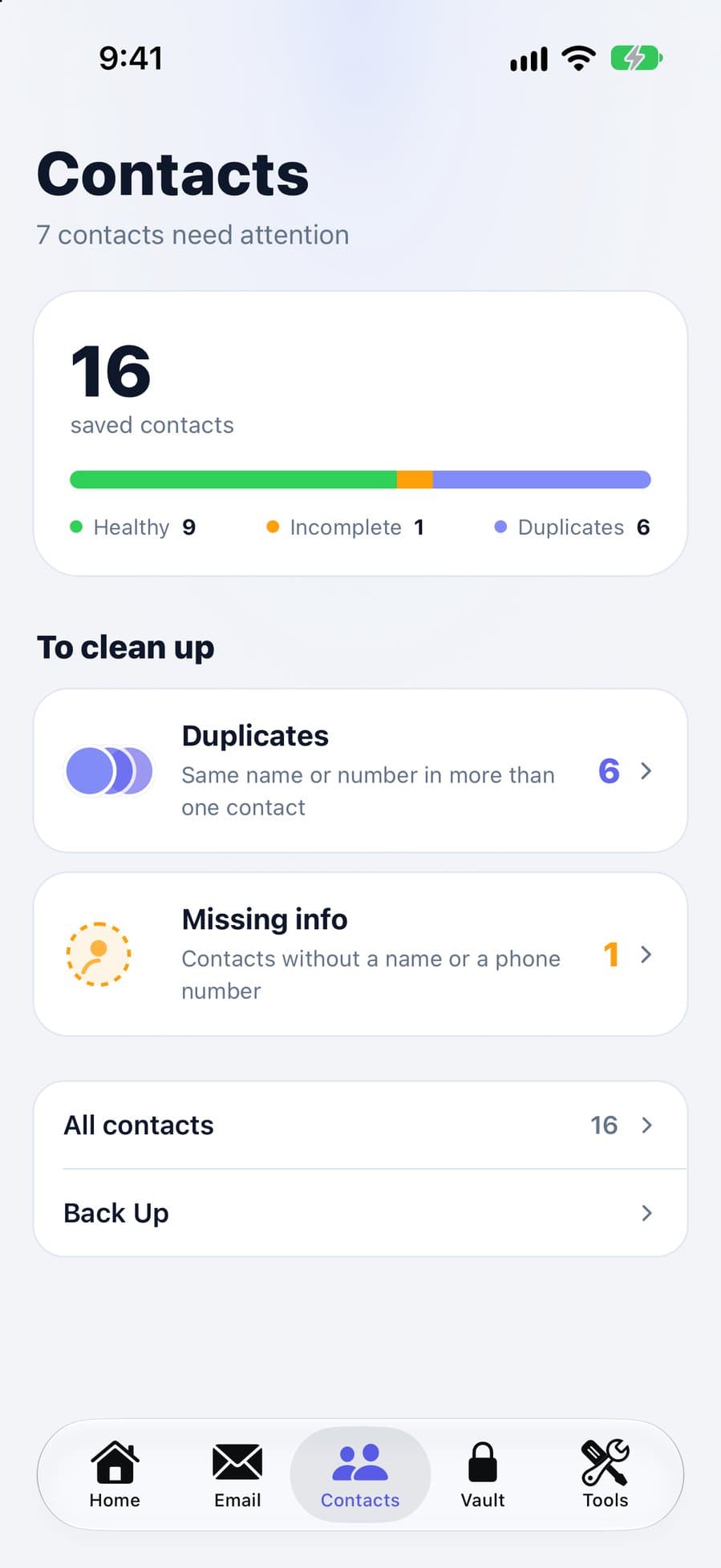
If you backed up your contacts in CleanX before deleting some, open Back Up on the Contacts tab and restore that backup. CleanX adds back the contacts from it that aren’t in your address book with the same name and phone numbers, without changing or removing any current contact. Names, phone numbers and email and postal addresses come back; photos, birthdays and notes don’t. If you merged contacts or changed a name or number after the backup, the older cards are added back next to the current ones.
- Restore adds back missing contacts only
- Current contacts aren’t changed or removed
- Restoring is free; creating backups needs CleanX Pro
If none of these work
- Contacts stored only on your iPhone are included in an iCloud or computer backup of the iPhone. If you have one from before the deletion, you can restore it. To restore an iCloud backup on an iPhone that’s already set up, Apple says you first erase it.
- If the contact was stored only on your iPhone and there’s no backup or export, Apple’s tools have no copy to restore.
- Check the other places it might be saved: a Gmail or work account, or an old phone or SIM you still have.
- To avoid this next time, turn on iCloud Contacts and export a vCard now and then.
Frequently asked questions
How do I recover deleted contacts on my iPhone?
For iCloud contacts, restore an earlier version on iCloud.com under Data Recovery › Restore Contacts. For Google contacts, use Trash or Undo changes in Google Contacts within 30 days.
Why have I suddenly lost all my contacts?
Often it’s a settings issue: check you’re signed in with the same Apple Account, Contacts is on in iCloud settings, and All iCloud is selected in Contacts › Lists.
Can I recover iPhone contacts without a backup?
Even without an export or app backup: if they were in iCloud or a Google account, those services keep their own archive and history. If they were only on the iPhone, an iCloud or computer backup of the iPhone from before the deletion may still include them.
How long do I have to restore deleted contacts?
Google keeps deleted contacts in Trash and its undo history for 30 days. iCloud lists archived versions by date on iCloud.com; after a recent deletion, the archive can take up to 24 hours to appear.
Will restoring contacts delete the ones I added later?
Restoring an earlier iCloud version takes your contacts back to that version; Apple archives your current version first, so you can switch back. In Google Contacts, contacts added after the time you choose won’t appear.
