How to Delete Duplicate Photos on iPhone
By CleanX TeamPublished
Quick answer
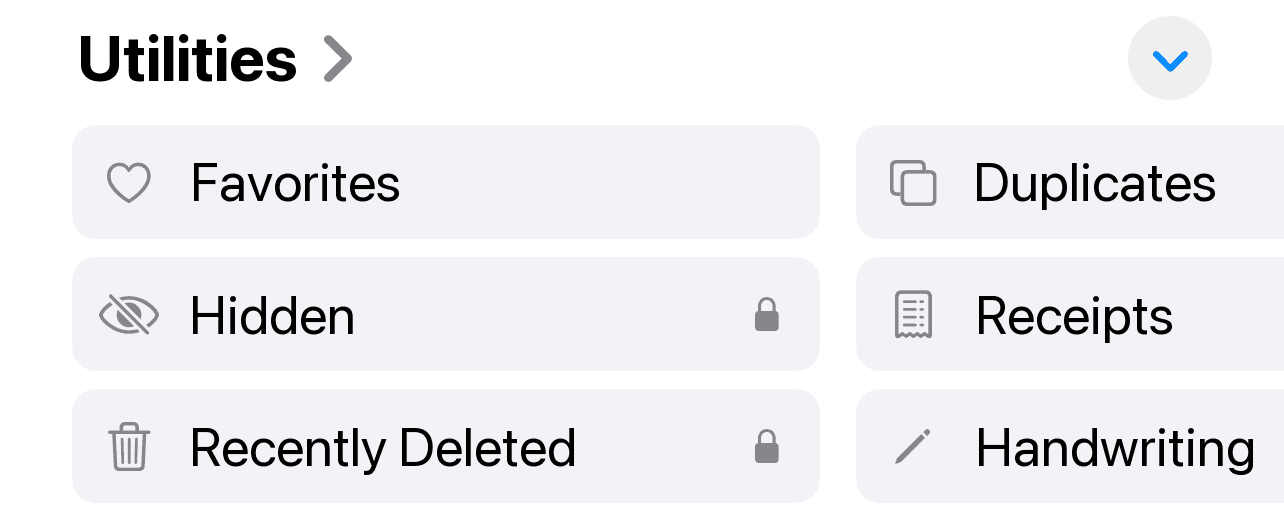
- Open Photos, tap Collections, then Utilities › Duplicates.
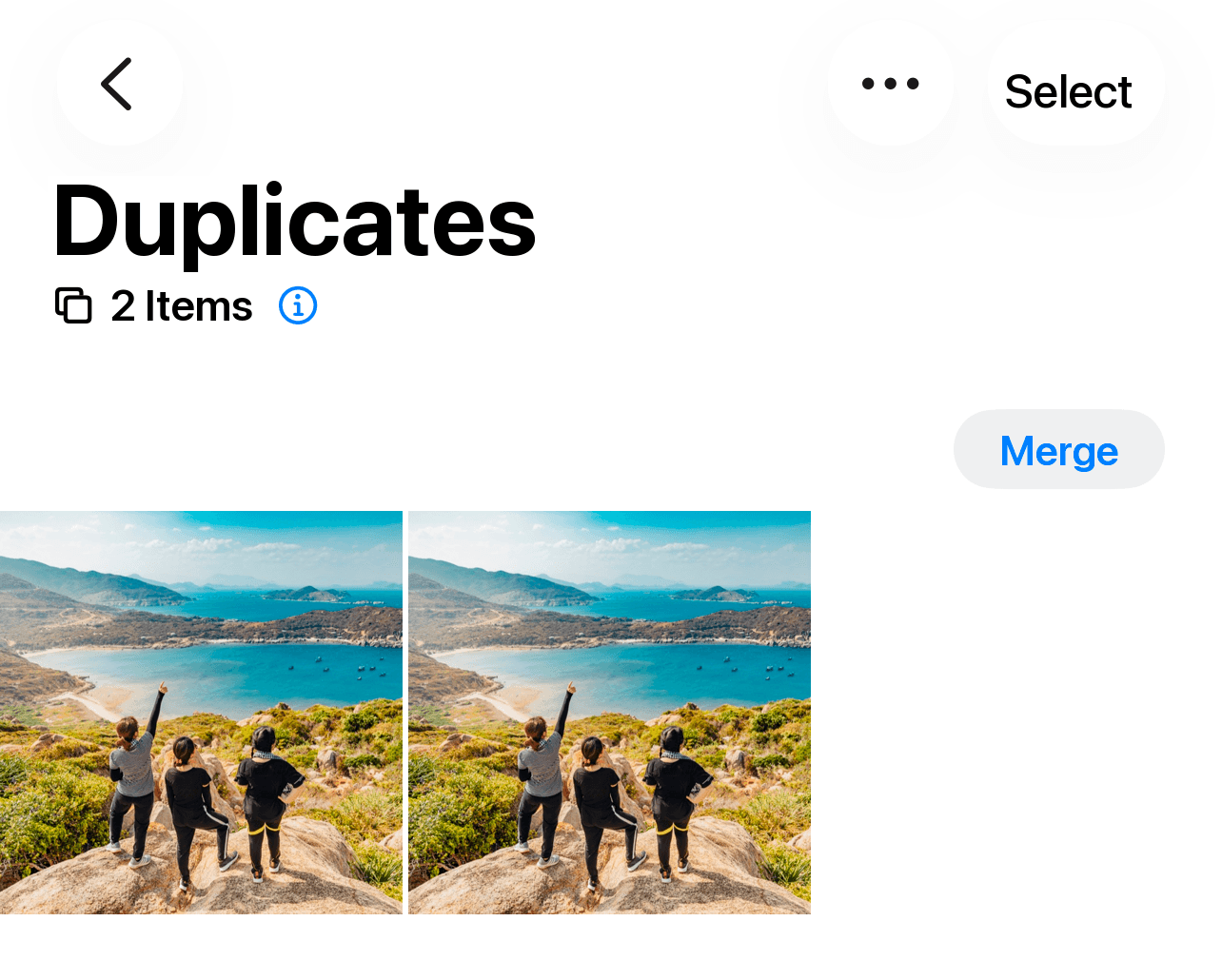
- Tap Merge on a set, or Select › Select All › Merge to do them all at once.
- iPhone combines the best image quality and relevant data into one photo; the extra copies go to Recently Deleted for 30 days.
- Once you’ve checked the removed copies, empty Recently Deleted to get the space back on your iPhone.
Since iOS 16, the Photos app finds duplicate photos and videos for you and puts them in a Duplicates album. You don’t need an app for exact copies. This guide covers the built-in way first, then what it doesn’t catch.
Delete duplicates with the Duplicates album
Step 1: Open Photos
Open the Photos app and tap Collections.
Step 2: Go to Duplicates
Scroll to Utilities and tap Duplicates. Each row is one set of copies.
Step 3: Merge one set
Tap Merge next to a set, then confirm with Merge [number] Items.
Step 4: Or merge everything
Tap Select, then Select All, then Merge, and confirm.
What “Merge” actually does
Merging does more than delete copies. According to Apple, your iPhone combines the highest image quality and relevant data into the one photo it keeps. The other copies move to Recently Deleted, where you can recover them for 30 days.
That also means merging doesn’t free up space on your iPhone right away: the copies stay in Recently Deleted until they expire or you delete them there. In iCloud, Apple says items in Recently Deleted don’t count toward your storage.
Get the space back now
Step 1: Open Recently Deleted
In Photos, tap Collections, then Utilities › Recently Deleted. Tap View Album and unlock it with Face ID or Touch ID.
Step 2: Delete permanently
Tap Select, then the More button and Delete All, and confirm with Delete from All Devices. This can’t be undone, so check the album first; our Recently Deleted guide shows how to recover items instead.
Why the Duplicates album is missing or empty
- There are no duplicates. Apple hides the album when your library has no duplicate photos or videos.
- Detection is still running. iPhone finds duplicates automatically in the background, and Apple notes it can take some time. In our iOS 27 test, while Photos was still processing the library, Duplicates showed 0 items and Photos suggested keeping the iPhone on power overnight to finish.
- Your iPhone runs an older iOS. The Duplicates album needs iOS 16 or later. Check under Settings › General › About.
Duplicates vs. similar photos
Apple describes the Duplicates album as a place for duplicate photos and videos. It isn’t a tool for choosing the best of several similar shots of the same moment, like a row of near-identical selfies or a burst.
| Duplicates album | CleanX | |
|---|---|---|
| Built for | Copies of the same photo or video | Duplicates and similar shots |
| What it does with a group | Combines the copies into one photo | Suggests the best shot to keep |
| Cost | Free, built in | Scan free; deleting needs CleanX Pro |
CleanX
Clear similar shots with CleanX
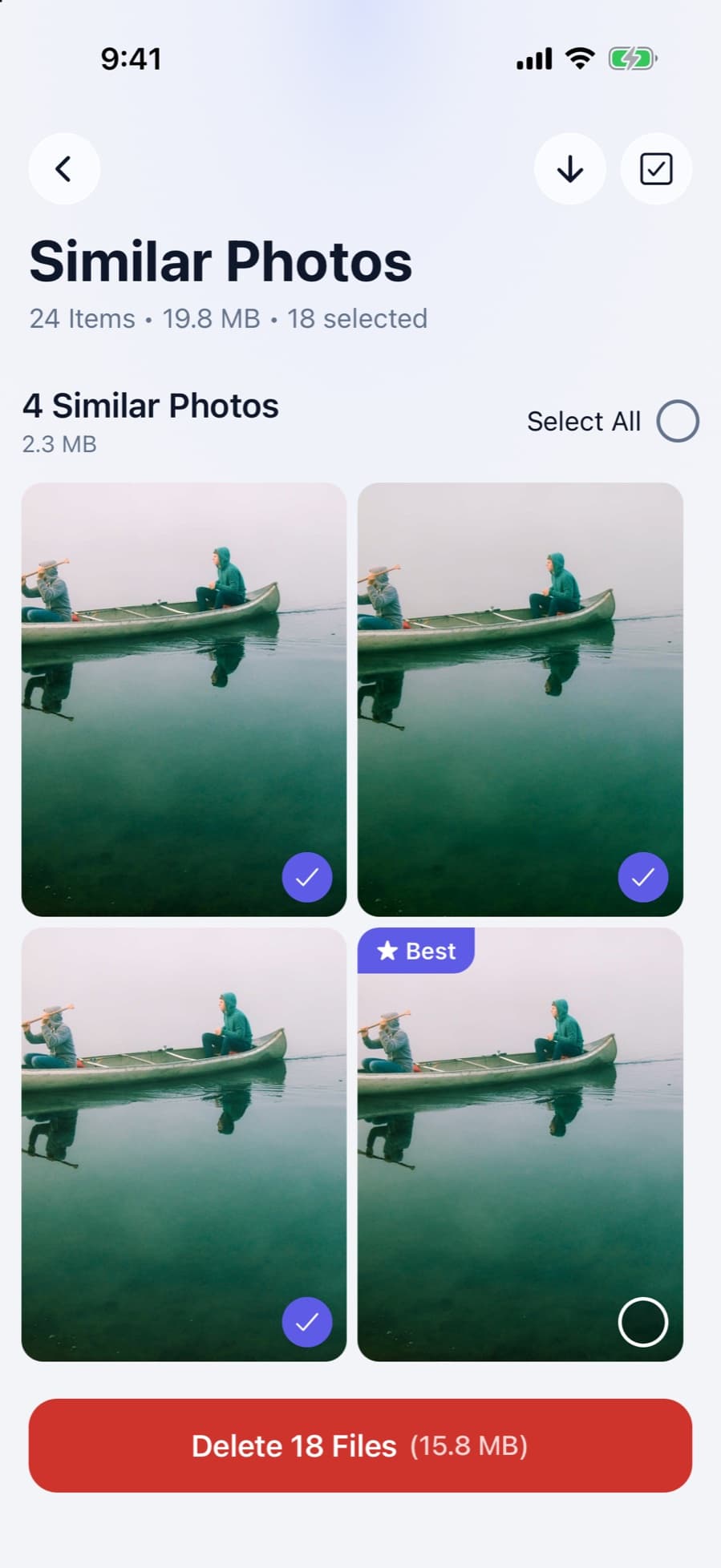
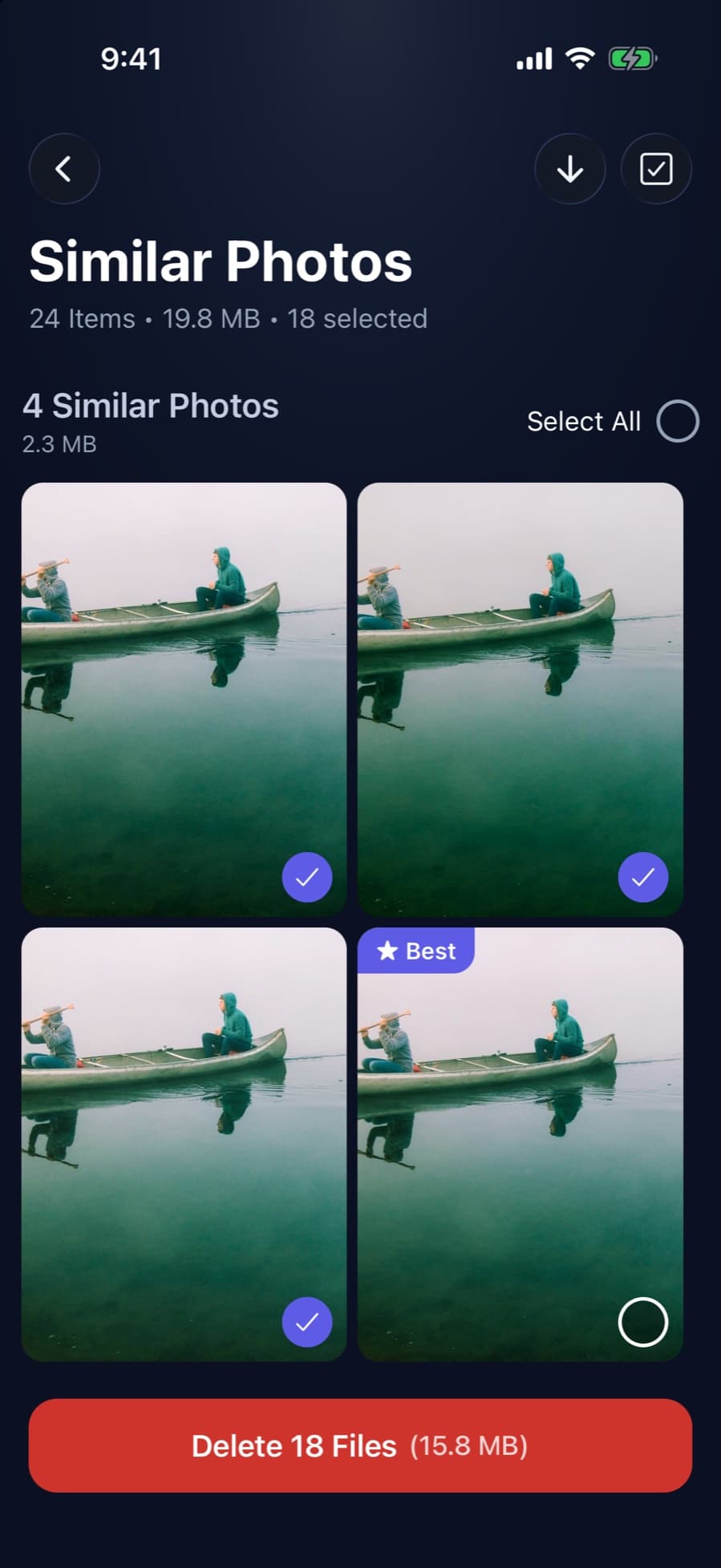
CleanX scans your library on your iPhone and groups both exact duplicates and photos that look alike. In each group it suggests the shot to keep.
- Exact duplicates and similar photos in one place
- A suggested best shot in every group
- Deleted photos go to Recently Deleted, so you can still recover them
Before you delete
- If you use iCloud Photos, deleting on one device deletes on all of them. Back up anything you’re unsure about.
- In an iCloud Shared Photo Library, anyone in the library can delete shared photos, and a photo someone else deletes disappears for you too.
- Keep an eye on Recently Deleted for a few days before emptying it if you merged a lot at once.
Frequently asked questions
Can iPhone find duplicate photos by itself?
Yes. On iOS 16 and later, Photos finds duplicate photos and videos automatically and lists them in Collections › Utilities › Duplicates.
Why is my Duplicates album missing or empty?
Either your library has no duplicates, Photos hasn’t finished processing your library yet, or your iPhone runs a version older than iOS 16.
Does merging duplicates lower photo quality?
No. Apple says merging keeps one photo that combines the highest image quality and relevant data from the set.
Can I undo a merge?
You can get the removed copies back for 30 days: they’re in Recently Deleted, where you open them and tap Recover. The photo that was kept stays in your library.
Does merging duplicates on iPhone delete them from iCloud?
The extra copies are deleted like any other photo. With iCloud Photos on, Apple says deletions apply to every device signed in with the same Apple Account, and the copies stay recoverable in Recently Deleted for 30 days.
Do I need an app to delete duplicate photos?
Not for exact copies: the Duplicates album handles them for free. An app helps you pick the best of similar shots, which the album isn’t built for.